

Description
Download Cigati Thunderbird Backup Tool – Secure, Free Email Backup Software for Windows
Overview
The Cigati Thunderbird Backup Tool is a dedicated backup solution created by Cigati Solutions to protect your Mozilla Thunderbird mailboxes. Designed with both novice and power users in mind, this free utility lets you export entire Thunderbird profiles into a variety of file formats, making migration to other email clients or cloud storage a breeze. What sets the tool apart is its built‑in mail filter, duplicate‑removal engine, and a clean, user‑friendly interface that removes the guesswork from the backup process. Whether you are an individual looking to safeguard personal correspondence or an IT administrator tasked with archiving corporate mail, the Cigati Thunderbird Backup Tool offers a reliable, secure, and efficient way to keep your email data safe. Its lightweight footprint means it runs smoothly on Windows machines without consuming excessive resources, and regular updates ensure compatibility with the latest Thunderbird releases. In short, this software provides peace of mind by turning a potentially complex task into a few clicks, while also offering flexibility for future email migrations or disaster‑recovery scenarios.
Key Features
- Full Profile Export: Back up every folder, message, address book, and setting from a selected Thunderbird profile.
- Multiple Output Formats: Save backups as .eml, .mbox, or .pst files, enabling easy import into Outlook, Apple Mail, and other clients.
- Advanced Mail Filter: Choose specific date ranges, folders, or keywords to create targeted backups.
- Duplicate Email Detection: The tool automatically scans for and removes duplicate messages, keeping backup size optimal.
- Secure Encryption: Optional AES‑256 encryption protects your backup files from unauthorized access.
- Scheduled Backups: Set up automatic daily or weekly backups so you never forget to protect new emails.
- One‑Click Restore: Quickly reload a previously saved backup into Thunderbird without manual file handling.
- Lightweight & Free: No hidden fees, no trial period, and a small installer size (<10 MB) that runs smoothly on Windows 7, 8, 10, and 11.
- Regular Updates: Frequent patches keep the software aligned with Thunderbird’s evolving architecture.
- Comprehensive Log Reports: Detailed logs provide insight into which items were backed up, filtered, or omitted.
Installation, Setup & Compatibility
Downloading and Installing the Tool
To begin, visit the official Cigati Solutions website and click the Download button for the Cigati Thunderbird Backup Tool. The installer is a standard .exe file, digitally signed to assure you of its authenticity and security. Once downloaded, run the installer and follow the guided steps: accept the license agreement, choose an installation folder (the default works for most users), and click Install. The process typically completes within a minute, after which you can launch the application from the Start menu or desktop shortcut.
Initial Configuration
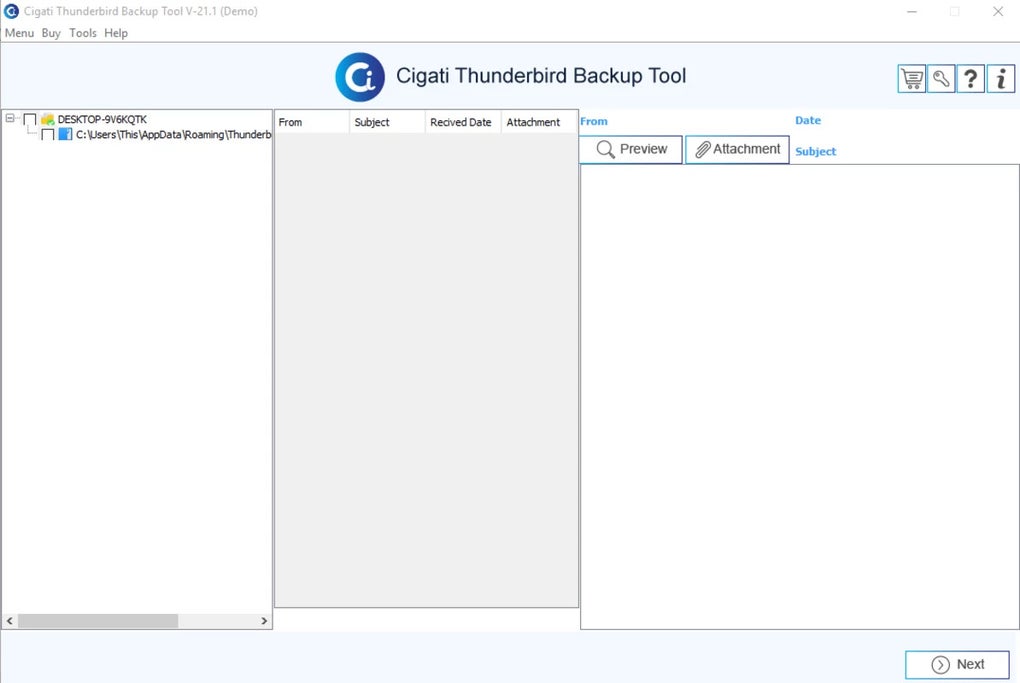
Upon first launch, the software prompts you to locate your Thunderbird profile directory. This is usually stored in %APPDATA%\Thunderbird\Profiles on Windows. The tool automatically detects existing profiles, allowing you to select the one you wish to back up. You can also create a new backup destination folder, or point to an external drive for added security. If you intend to use encryption, simply enable the Secure Backup option and set a strong password – the password is never stored locally, ensuring only you can decrypt the backup later.
Compatibility (itemprop="operatingSystem")
The Cigati Thunderbird Backup Tool is built primarily for Windows environments, supporting Windows 7, 8, 10, and 11 (both 32‑bit and 64‑bit). While there is no native macOS or Linux version, advanced users can run the Windows executable through compatibility layers such as Wine on Linux or Parallels on macOS. The tool does not have mobile counterparts for Android or iOS, as Thunderbird itself is a desktop‑focused email client. Nonetheless, the backup files it generates can be transferred to any platform and opened with compatible email applications, making the solution flexible for cross‑platform migrations.
Running a First Backup
After configuration, click the Start Backup button. You’ll be presented with the filter options described earlier – for a quick full backup, leave all filters unchecked. The progress bar displays real‑time status, and once completed a summary window shows the number of messages saved, size of the backup, and any duplicates removed. All logs are saved in the Logs sub‑folder for future reference. From here you can either close the application or schedule recurring backups via the built‑in scheduler.
Pros and Cons
Pros
- Completely free with no hidden costs.
- Supports multiple export formats for easy migration.
- Duplicate‑removal algorithm reduces backup size.
- Optional AES‑256 encryption keeps data secure.
- One‑click restore simplifies disaster recovery.
- Lightweight installer and low system resource usage.
- Regular updates keep compatibility with new Thunderbird releases.
Cons
- No native macOS or Linux version; requires work‑arounds for non‑Windows users.
- Lacks a mobile app for Android/iOS, though this matches Thunderbird’s desktop focus.
- Advanced scheduling features are limited to daily or weekly intervals.
- Interface, while clean, may feel dated compared to modern cloud‑based backup services.
Frequently Asked Questions & Final Thoughts
Is the Cigati Thunderbird Backup Tool really free?
Yes, the tool is completely free for personal and commercial use. There are no hidden fees, trial periods, or premium upgrades required to access any feature.
Can I back up multiple Thunderbird profiles at once?
The current version allows you to select one profile per backup session. However, you can run consecutive backups for each profile, or use the built‑in scheduler to automate separate backups on a daily basis.
How secure is the encrypted backup option?
Encryption uses AES‑256, which is considered industry‑standard for data protection. The password you set is never stored on disk, so only someone with the correct password can decrypt the backup.
Will the backup work with future Thunderbird updates?
Cigati Solutions releases regular updates to maintain compatibility with new Thunderbird versions. You can enable automatic update checks within the tool’s settings to stay current.
Can I restore a backup to a different computer?
Absolutely. The backup files are portable; simply copy the .mbox, .eml, or .pst file to the new machine, install Thunderbird (or a compatible client), and use the tool’s “Import” function to restore the data.
Conclusion & Call to Action
In a world where email data is both valuable and vulnerable, the Cigati Thunderbird Backup Tool offers a practical, free, and secure way to protect your Thunderbird mailboxes. Its combination of flexible export formats, duplicate removal, and optional encryption makes it stand out among the limited options available for Thunderbird users. While the lack of native macOS or Linux builds may be a drawback for a small segment of the audience, Windows users—who represent the majority of Thunderbird’s desktop base—will find this tool both reliable and easy to use. If you’ve been searching for a straightforward method to safeguard your email history, now is the perfect time to download the Cigati Thunderbird Backup Tool and secure your inbox with confidence.
Guides & Tutorials for Cigati Thunderbird Backup Tool
How to install Cigati Thunderbird Backup Tool
- Click the Preview / Download button above.
- Once redirected, accept the terms and click Install.
- Wait for the Cigati Thunderbird Backup Tool download to finish on your device.
How to use Cigati Thunderbird Backup Tool
This software is primarily used for its core features described above. Open the app after installation to explore its capabilities.
User Reviews for Cigati Thunderbird Backup Tool 0
No reviews found





